关于新架构
本页面由 PageTurner AI 翻译(测试版)。未经项目官方认可。 发现错误? 报告问题 →
自 2018 年起,React Native 团队一直在重新设计 React Native 的核心架构,旨在帮助开发者打造更高质量的应用体验。截至 2024 年,该版本 React Native 已在大规模场景中得到验证,并为 Meta 的生产环境应用提供支持。
术语"新架构"既指新的框架架构设计,也包含将其引入开源生态的相关工作。
新架构自 React Native 0.68 起已作为实验性功能开放试用,并在后续每个版本持续改进。团队目前正致力于将其打造为 React Native 开源生态的默认架构方案。
为什么需要新架构?
经过多年 React Native 开发实践,团队发现原有架构存在根本性限制,阻碍开发者实现高度精细化的用户体验。这些限制源于框架的底层设计,因此新架构应运而生,成为我们对 React Native 未来的战略投资。
新架构解锁了旧架构无法实现的各项能力与优化。
同步布局与效果
构建自适应 UI 体验通常需要测量视图尺寸位置并动态调整布局。
当前开发者可通过 onLayout 事件获取视图布局信息并进行调整。但 onLayout 回调中的状态更新会在上一次渲染绘制完成后才生效,这意味着用户可能看到初始布局渲染与布局调整之间的中间状态或视觉跳跃。
新架构通过同步获取布局信息和合理调度更新,彻底避免了这一问题,确保用户不会感知到任何中间状态。
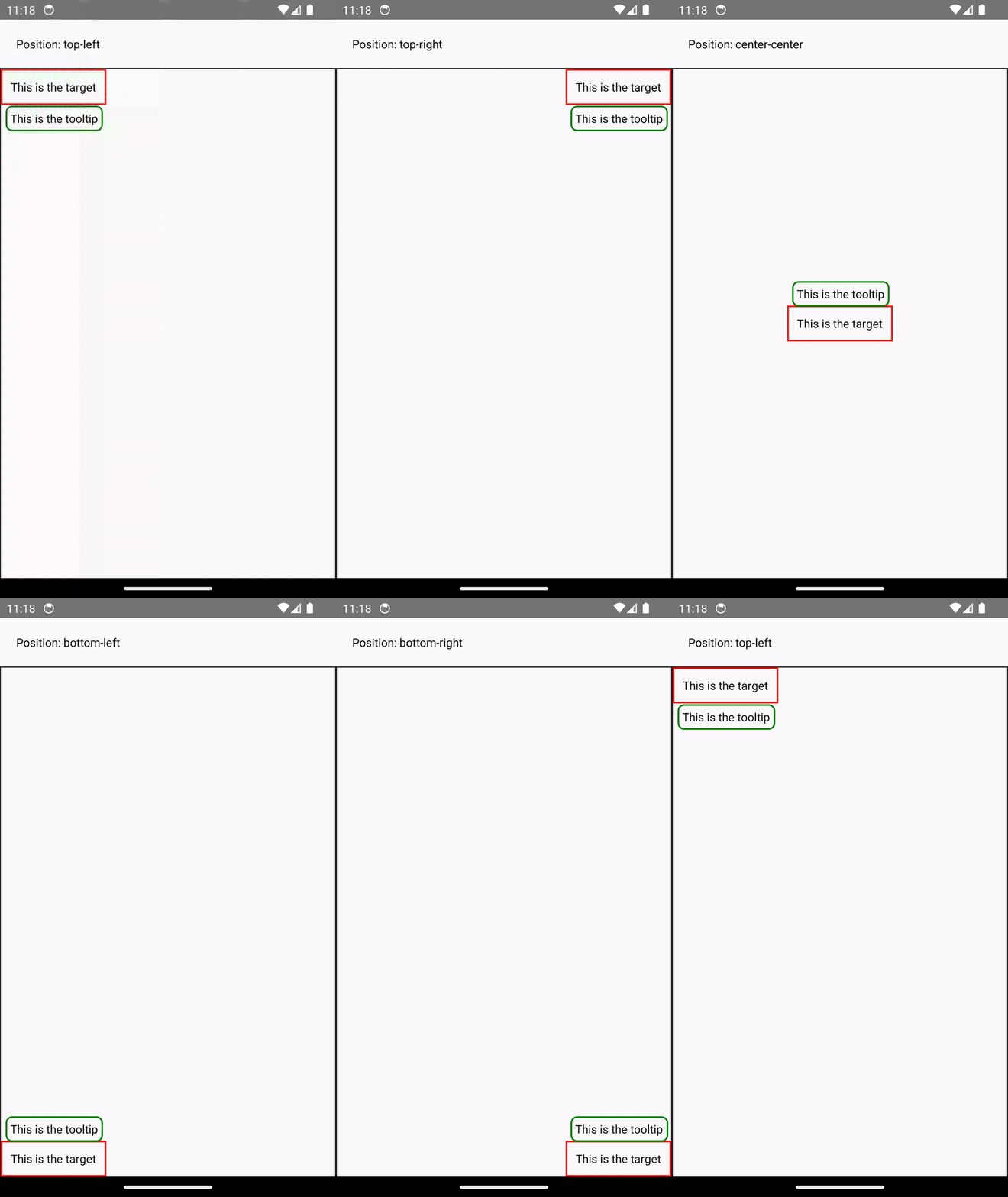
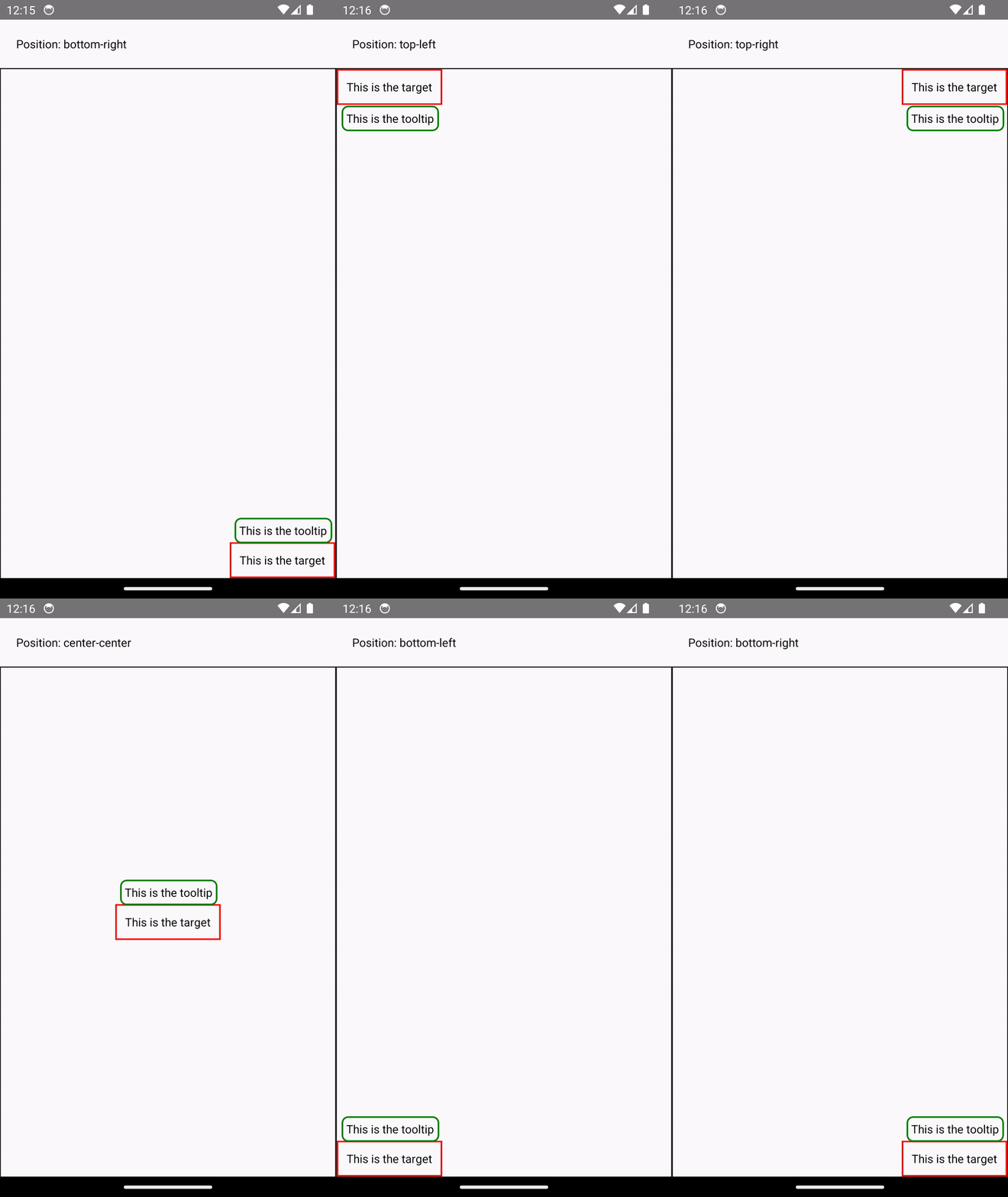
Example: Rendering a Tooltip
Measuring and placing a tooltip above a view allows us to showcase what synchronous rendering unlocks. The tooltip needs to know the position of its target view to determine where it should render.
In the current architecture, we use onLayout to get the measurements of the view and then update the positioning of the tooltip based on where the view is.
function ViewWithTooltip() {
  // ...

  // We get the layout information and pass to Tooltip to position itself
  const onLayout = React.useCallback(event => {
    targetRef.current?.measureInWindow((x, y, width, height) => {
      // This state update is not guaranteed to run in the same commit
      // This results in a visual "jump" as the Tooltip repositions itself
      setTargetRect({x, y, width, height});
    });
  }, []);

  return (
    <>
      <View ref={targetRef} onLayout={onLayout}>
        <Text>Some content that renders a tooltip above</Text>
      </View>
      <Tooltip targetRect={targetRect} />
    </>
  );
}
With the New Architecture, we can use useLayoutEffect to synchronously measure and apply layout updates in a single commit, avoiding the visual "jump".
function ViewWithTooltip() {
  // ...

  useLayoutEffect(() => {
    // The measurement and state update for `targetRect` happens in a single commit
    // allowing Tooltip to position itself without intermediate paints
    targetRef.current?.measureInWindow((x, y, width, height) => {
      setTargetRect({x, y, width, height});
    });
  }, [setTargetRect]);

  return (
    <>
      <View ref={targetRef}>
        <Text>Some content that renders a tooltip above</Text>
      </View>
      <Tooltip targetRect={targetRect} />
    </>
  );
}
支持并发渲染与特性
新架构支持 React 18 及后续版本推出的并发渲染和特性。开发者现在可以在 React Native 中使用数据获取 Suspense、Transitions 等新 React API,进一步统一 Web 与原生开发的代码模式和概念体系。
并发渲染器还带来了开箱即用的优化,如自动批处理机制可减少 React 的不必要重渲染。
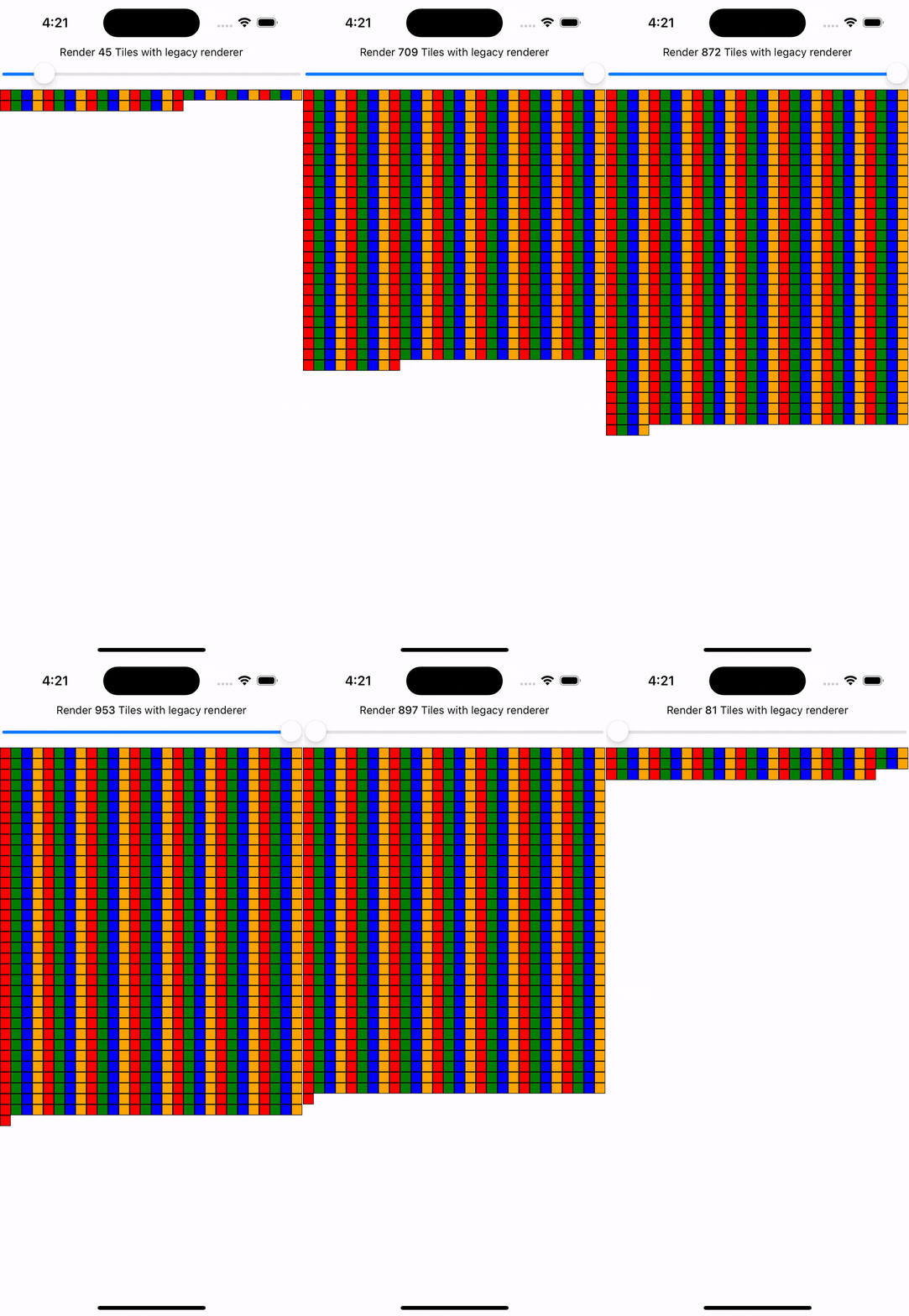
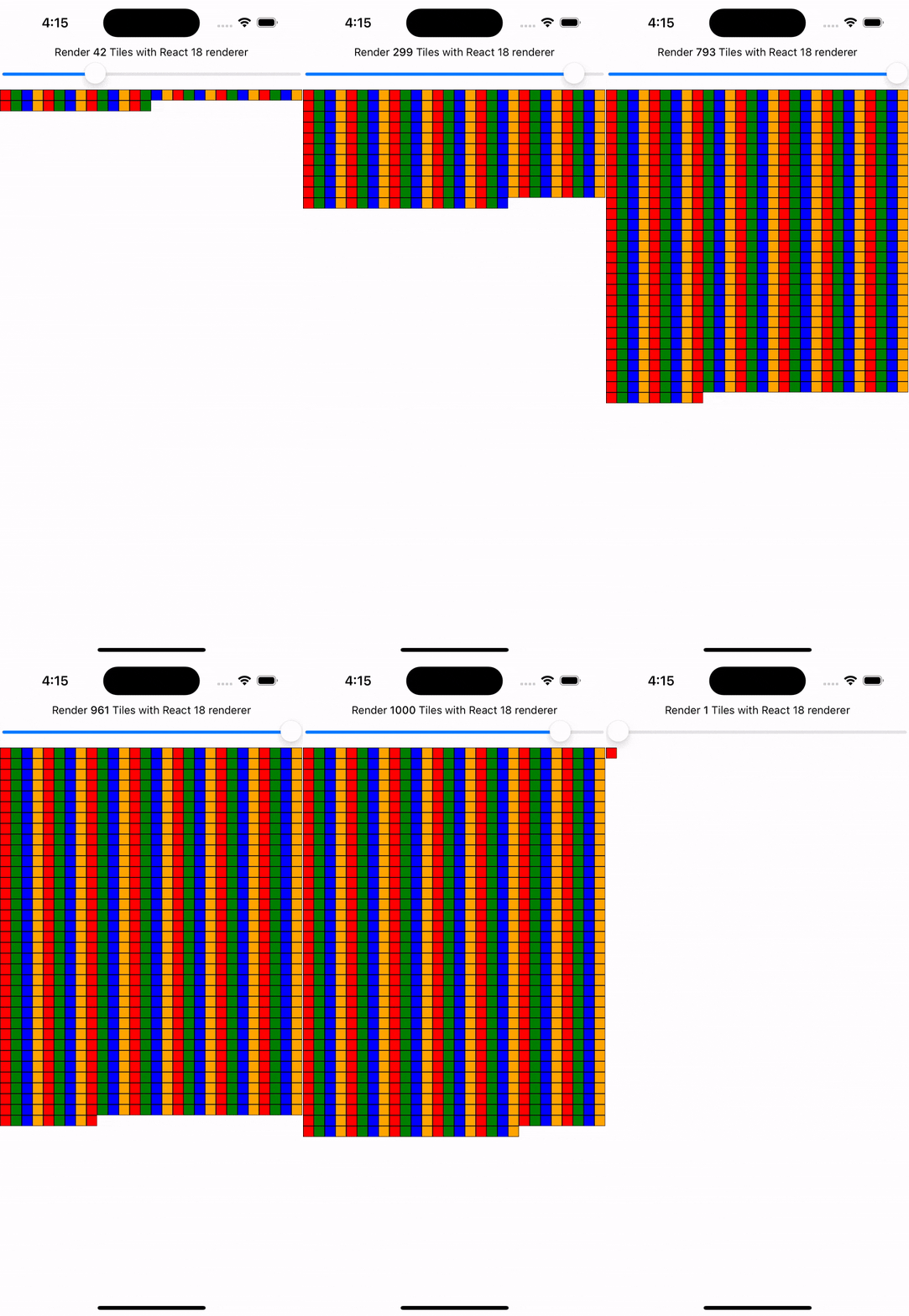
Example: Automatic Batching
With the New Architecture, you'll get automatic batching with the React 18 renderer.
In this example, a slider specifies how many tiles to render. Dragging the slider from 0 to 1000 will fire off a quick succession of state updates and re-renders.
In comparing the renderers for the same code, you can visually notice the renderer provides a smoother UI, with less intermediate UI updates. State updates from native event handlers, like this native Slider component, are now batched.
Transitions 等并发特性赋予开发者声明式定义更新优先级的能力。将更新标记为低优先级后,React 可中断其渲染过程以优先处理高优先级更新,确保关键交互场景的流畅体验。
Example: Using startTransition
We can build on the previous example to showcase how transitions can interrupt in-progress rendering to handle a newer state update.
We wrap the tile number state update with startTransition to indicate that rendering the tiles can be interrupted. startTransition also provides a isPending flag to tell us when the transition is complete.
function TileSlider({value, onValueChange}) {
  const [isPending, startTransition] = useTransition();

  return (
    <>
      <View>
        <Text>
          Render {value} Tiles
        </Text>
        <ActivityIndicator animating={isPending} />
      </View>
      <Slider
        value={1}
        minimumValue={1}
        maximumValue={1000}
        step={1}
        onValueChange={newValue => {
          startTransition(() => {
            onValueChange(newValue);
          });
        }}
      />
    </>
  );
}

function ManyTiles() {
  const [value, setValue] = useState(1);
  const tiles = generateTileViews(value);
  return (
      <TileSlider onValueChange={setValue} value={value} />
      <View>
        {tiles}
      </View>
  )
}
You'll notice that with the frequent updates in a transition, React renders fewer intermediate states because it bails out of rendering the state as soon as it becomes stale. In comparison, without transitions, more intermediate states are rendered. Both examples still use automatic batching. Still, transitions give even more power to developers to batch in-progress renders.


高速 JavaScript/原生交互
新架构移除了 JavaScript 与原生模块间的异步桥接,代之以 JavaScript 接口(JSI)。JSI 允许 JavaScript 直接持有 C++ 对象引用(反之亦然),开发者可通过内存引用直接调用方法,彻底消除序列化开销。
JSI 使热门相机库 VisionCamera 能实时处理视频帧。典型帧缓冲区约 30MB,按常规帧率每秒产生约 2GB 数据。相比桥接的序列化成本,JSI 可轻松处理此量级的数据交互,同时支持暴露数据库、图像、音频样本等基于实例的复杂类型。
新架构采用 JSI 后,所有原生-JavaScript 交互都不再需要序列化工作,包括初始化与重渲染 View、Text 等核心组件。您可阅读我们在新架构下的渲染性能研究,了解具体的性能提升数据。
启用新架构能带来什么?
虽然新架构提供了这些功能和改进,但在您的应用或库中启用新架构并不会立即提升性能或用户体验。
例如,您的代码可能需要重构才能利用同步布局效果或并发渲染等新功能。尽管 JSI 会最小化 JavaScript 和原生内存间的开销,但数据序列化可能并非您应用性能的瓶颈。
在应用或库中启用新架构,就是选择拥抱 React Native 的未来。
团队正在积极研究和开发新架构解锁的能力。例如,与 Web 技术的对齐是 Meta 重点探索的领域,相关成果将陆续在 React Native 开源生态中发布。
您可以在专门的讨论与提案仓库中参与讨论和贡献。
现在应该使用新架构吗?
从 0.76 版本起,所有 React Native 项目默认启用新架构。
如发现任何问题,请使用此模板提交 issue。
若因特殊原因无法使用新架构,您仍可通过以下方式关闭:
Android 相关
-
打开
android/gradle.properties文件 -
将
newArchEnabled标志从true改为false
# Use this property to enable support to the new architecture.
# This will allow you to use TurboModules and the Fabric render in
# your application. You should enable this flag either if you want
# to write custom TurboModules/Fabric components OR use libraries that
# are providing them.
-newArchEnabled=true
+newArchEnabled=false
iOS 相关
-
打开
ios/Podfile文件 -
在 Podfile 主作用域添加
ENV['RCT_NEW_ARCH_ENABLED'] = '0'(参考模板中的示例 Podfile)
+ ENV['RCT_NEW_ARCH_ENABLED'] = '0'
# Resolve react_native_pods.rb with node to allow for hoisting
require Pod::Executable.execute_command('node', ['-p',
  'require.resolve(
- 执行以下命令安装 CocoaPods 依赖:
bundle exec pod install